RapiD Vision Bottom Side Inspection (RVB)
The RVB inspects the bottom side of the product. The cameras in the RVB are controlled by the RVT. The RVB can optionally be fitted with an integrated weighing system.
Starting
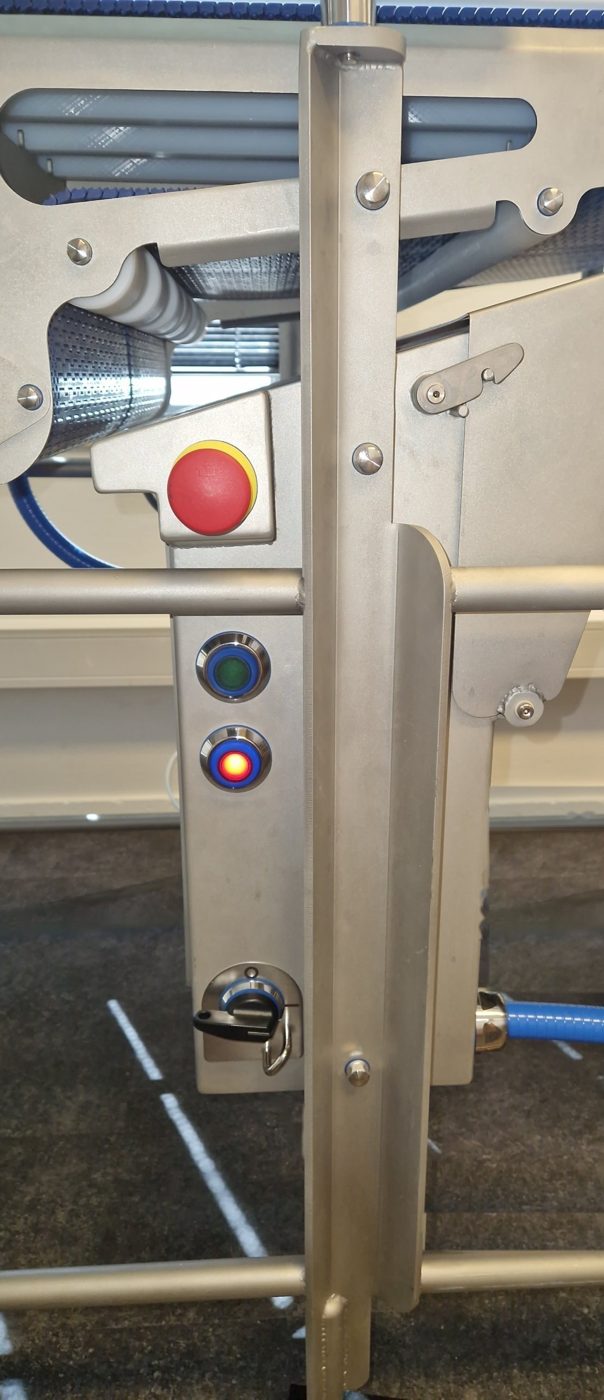
- Check that the main switch is switched on.
- Check that both emergency stop buttons are released.
- Press the green button.
The RVB is operational when the conveyors are running. See Start-up for the complete start-up procedure for your installation.
Stopping
- Normal stop: press the red button.
- Emergency: press either of the emergency stop buttons.
Weighing
Weighing system only
This section only applies to an RVB with an integrated weighing system. Weighing is controlled automatically by the RVT.
For accurate weighing, each product must be on the weigh conveyor on its own for long enough. Therefore, maintain a sufficient gap between products. The required gap depends on the weigh conveyor length, the product length and the belt speed.
Calculate the minimum gap as follows:
A standard weigh conveyor is 900 mm long. The values in the table below are calculated for a weigh conveyor length of 900 mm.
| Belt speed | Product length | Minimum gap |
|---|---|---|
| 270 mm/s | 500 mm | 210 mm |
| 270 mm/s | 700 mm | 110 mm |
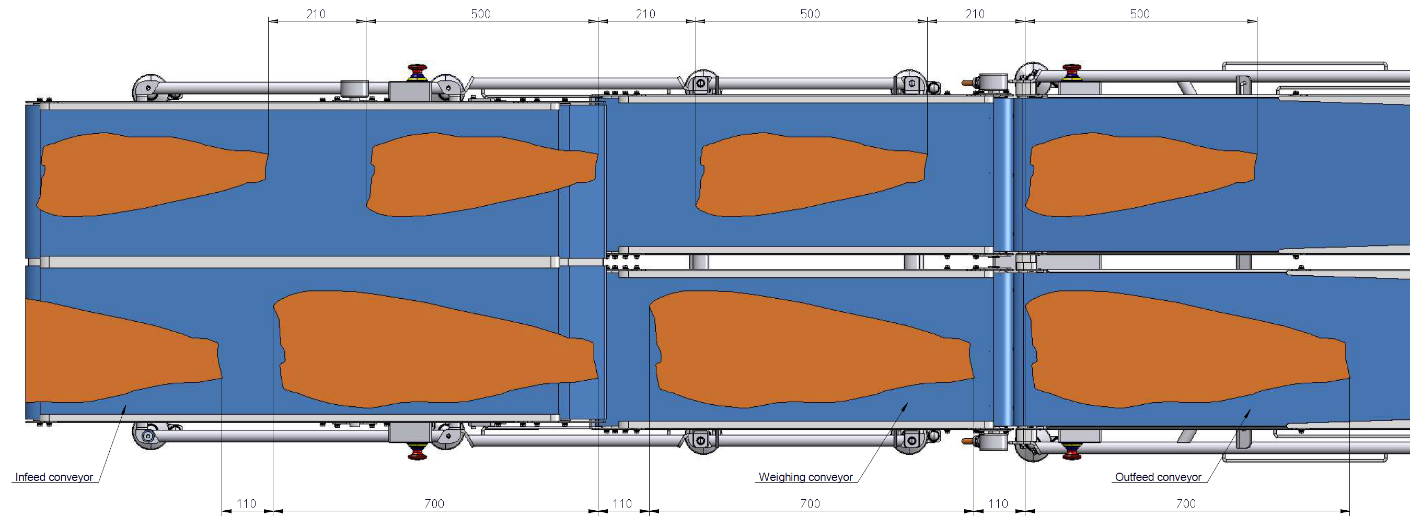
If products are too close together, the product is not weighed and is assigned a weight of 0. If this occurs for several consecutive products, the software displays a notification.
Caution
Keep the weigh conveyor free of objects and contamination. These affect the weighing result.
Cleaning
Follow the general guidelines and:
- clean the camera protective window before production starts;
- remove and clean the conveyor belts at least once a week.
Maintenance
| Component | Inspection | Action |
|---|---|---|
| Plastic modular belt (Intralox S560 Flat Top) | The belt elongates over time. | If the belt runs against the frame, remove one belt row. |
| Sprockets | Periodically check the condition of the teeth. | If several teeth are broken or worn, replace the sprocket. |