RapiD Vision Topside Inspection (RVT)
The RVT inspects the top side of the product. Inspection is fully automatic.
Function
The RVT starts up automatically as soon as it is powered. In installations with an RVB, the RVT is powered from the RVB. The RVT also controls the cameras and, if present, the weighing system in the RVB, as well as the rejection in the RVR.
Status indication
| Logo light | Status |
|---|---|
 Blue Blue |
Operational |
 Green Green |
Eco mode |
 Orange Orange |
Warning: action required, but not an emergency |
 Red Red |
Fault: the system is no longer working. Check the RapiD Vision software, action is required |
Eco mode
In eco mode, the lighting switches off and the software is paused. This extends the service life of the components. Eco mode is activated when:
- the lid is opened;
- the conveyor is stopped.
In an installation with an RVB, this is the RVB conveyor. In an installation without an RVB, this is the customer's conveyor, provided that the RVT is connected to it. If there is no connection to the conveyor, eco mode is not activated by the conveyor.
Destination colors
If the active sorting recipe has Bind Colors to Hardware Logo turned on, the logo light also shows the color of the destination each product is sorted to. You set the color per destination in the Destinations catalogue.
- After each product, the logo light changes to the color of that product's destination.
- If no new product is sorted for 5 seconds, the logo light returns to blue.
- A fault (red) and eco mode (green) always take priority over destination colors.
Bind Colors to Hardware Logo is set per recipe, on the General page of the recipe in Sortings, and is on by default. When it is off, the logo light only shows the status colors from the Status indication table.
Note
Destinations can use colors that also appear in the status table, such as red, orange or green. A logo light that changes color as products pass is showing destination colors, not a change in machine status.
Operation
The RVT has a single green button on the underside of the lid. This button switches the RVT on or off.
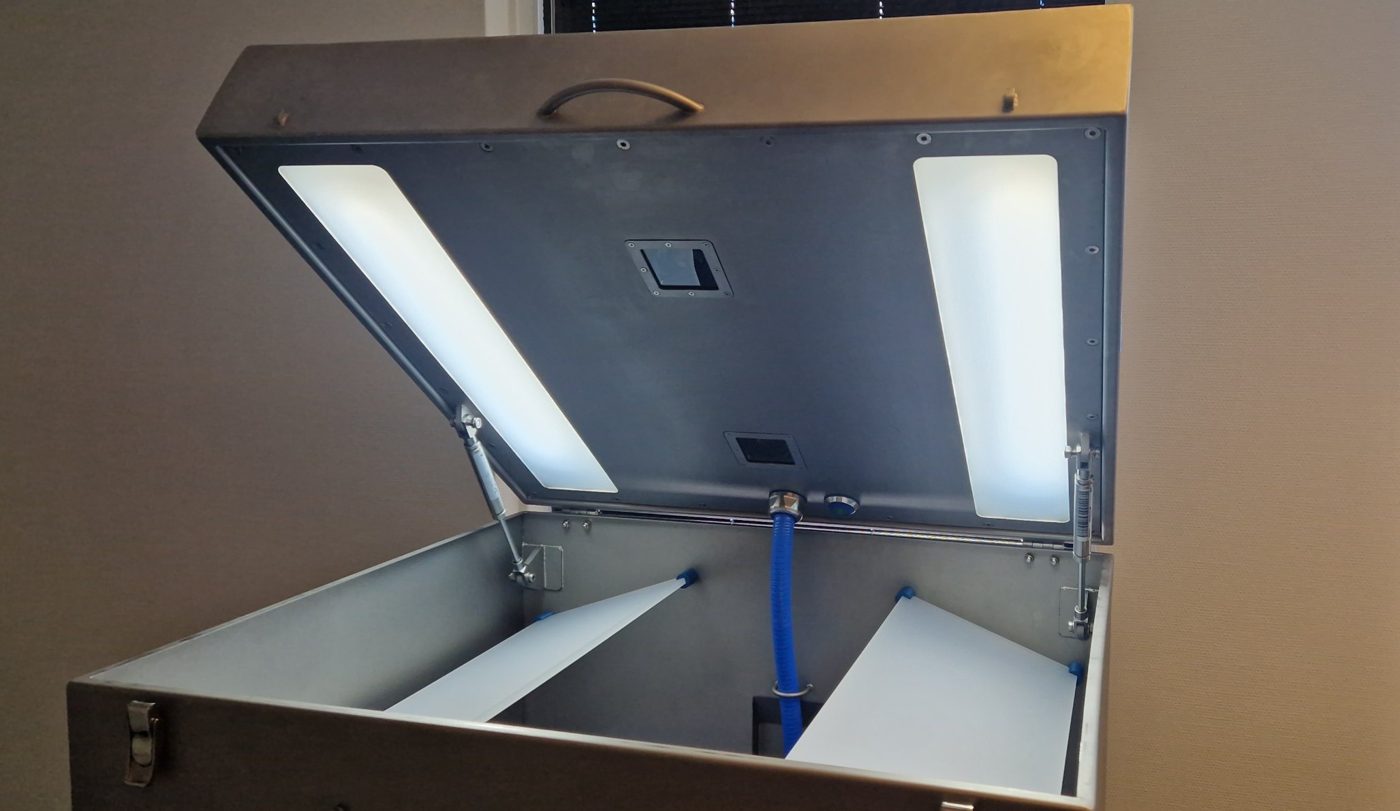
Does the RVT not start up after switching on the power? You can tell from the logo light:
| Logo light after power-on | Meaning | Action |
|---|---|---|
| Turns green first, then red | The RVT has started up | Do not press the green button |
| Stays red | The RVT has not started up | Press the green button |
| Stays red after pressing the green button | Fault | Contact RapiD Engineering |
Caution
Otherwise, only use the green button when instructed by RapiD Engineering.
Cleaning
Follow the general guidelines and clean:
- the camera protective window before production starts;
- the light panels in the lid and in the cabinet daily.