RapiD Vision Reject System (RVR)
The RVR diverts the products to the correct conveyor in the plant. Rejection is controlled automatically by the RVT. The RVR conveyors are controlled by the RVB.
Starting
- Check that the main switch is switched on.
- Check that both emergency stop buttons are released.
- Check that the white air selector switch is set to Auto.
The white air selector switch has three positions:
| Position | Function |
|---|---|
| Auto | The conveyors are controlled automatically based on the inspection result. This is the position for production. |
| Up | All conveyors move up and remain there, regardless of what the RVT or RVB detects. |
| Down | All conveyors move down and remain there, regardless of what the RVT or RVB detects. |
The RVR conveyors start as soon as the green button of the RVB is pressed. See Start-up for the complete start-up procedure.
Rejecting
During rejection, the conveyor moves up and down. A sufficient gap between products is required so that the conveyor returns to its home position in time. Calculate the minimum gap as follows:
| Belt speed | Minimum gap |
|---|---|
| 270 mm/s | 150 mm |
The product length does not affect this gap.
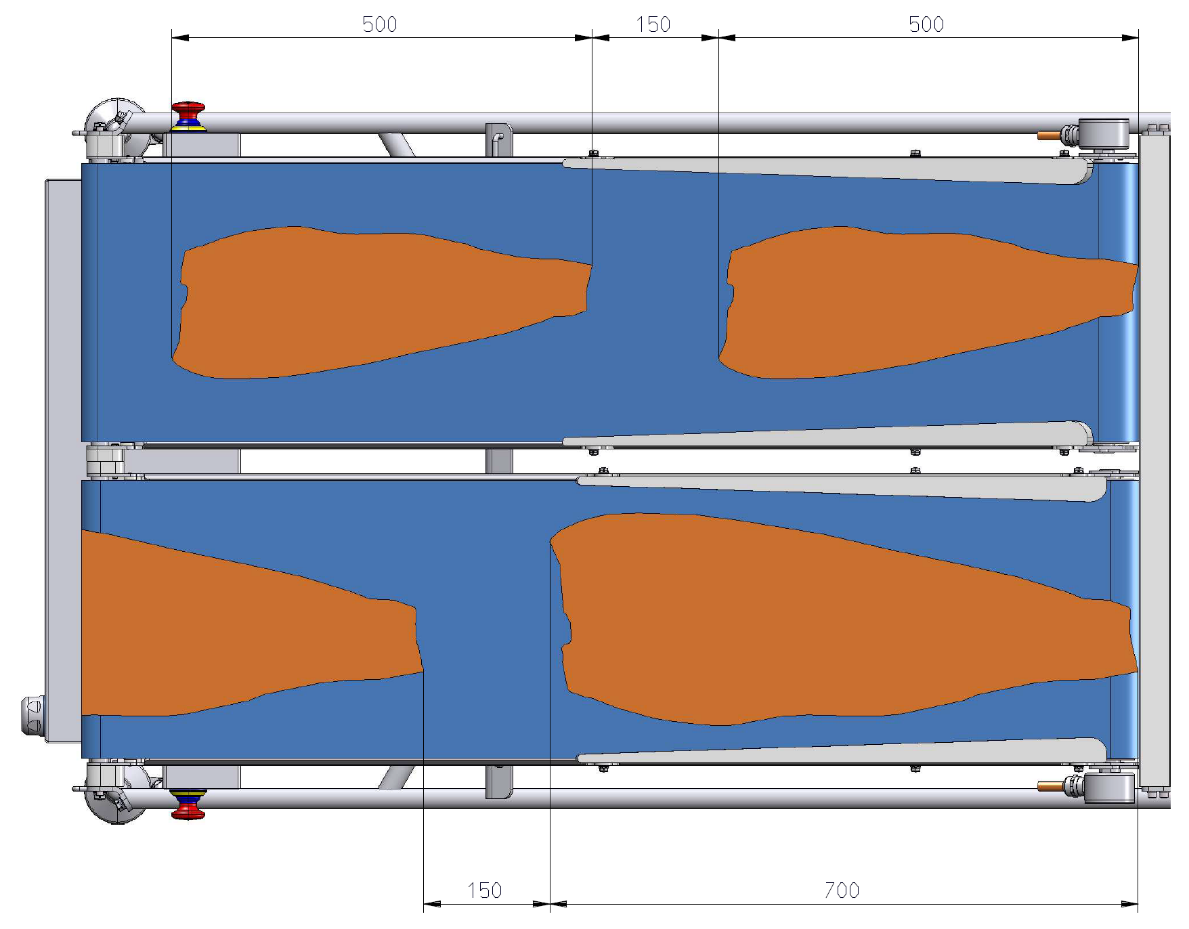
If several consecutive products are too close together, the software displays a notification.
Cleaning
Follow the general guidelines and remove and clean the conveyor belts at least once a week.
Maintenance
| Component | Inspection | Action |
|---|---|---|
| Plastic modular belt (Intralox S560 Flat Top) | The belt elongates over time. | If the belt runs against the frame, remove one belt row. |
| Sprockets | Check the condition of the teeth during cleaning. | If several teeth are broken or worn, replace the sprocket. |
| Pneumatic cylinders | Periodically check for recurring oil residue on the piston rod. | If present, replace the cylinder. |